Table of Contents
Introduction
Efficiency isn’t about doing things faster it’s about removing friction from every step of the Microsoft Copilot workflow.
In today’s modern workplace, time has become one of the most valuable and limited resources. Organizations invest heavily in tools, technologies, and strategies designed to improve productivity, yet inefficiencies continue to exist within everyday processes. These inefficiencies are especially visible in communication-heavy workflows such as calls, meetings, and follow-ups, where even minor delays can disrupt momentum.
Small inefficiencies like switching between multiple tools, manually taking notes during conversations, or drafting follow-up emails may seem insignificant in isolation. However, when repeated across dozens or hundreds of interactions, they accumulate into substantial productivity loss. Over time, these inefficiencies not only slow down operations but also reduce overall organizational effectiveness.
This is where Microsoft Copilot workflows are already beginning to create meaningful change. By integrating artificial intelligence into widely used tools such as Teams, Outlook, and Excel, Microsoft Copilot enables users to automate repetitive tasks, extract insights quickly, and streamline communication.
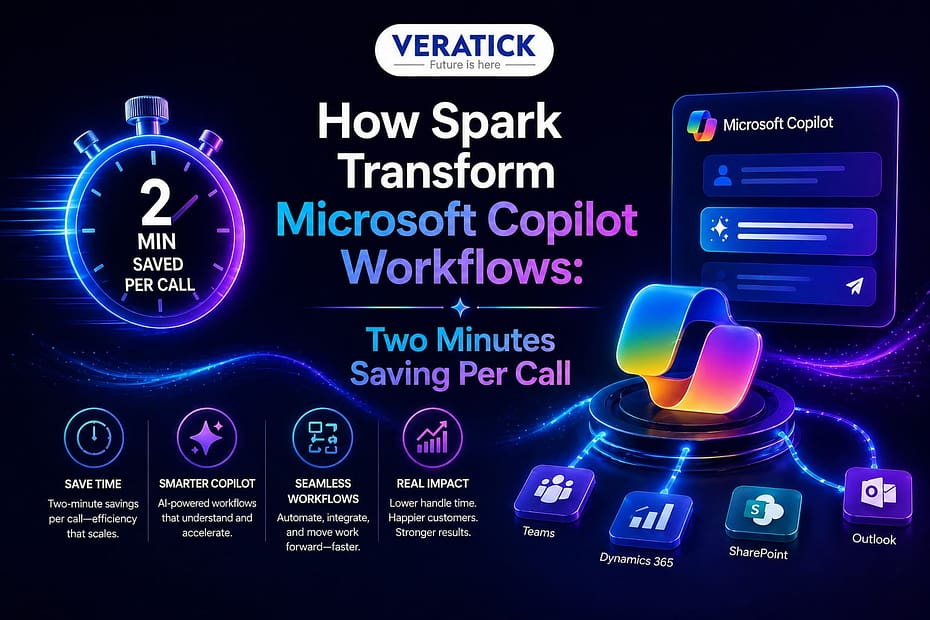
However, the true transformation occurs when these workflows are optimized further. Spark builds on this foundation by enhancing Microsoft Copilot workflows to eliminate friction, automate deeper layers of processes, and create a seamless, interconnected working experience. What initially appears as a simple two-minute saving per call quickly scales into hours, days, and even months of productivity gains when applied across teams and organizations.
Understanding Microsoft Copilot Workflows
What Are Microsoft Copilot Workflows?
At a fundamental level, Microsoft Copilot workflows represent the integration of artificial intelligence into everyday business operations. These workflows are designed to assist users in completing tasks more efficiently by combining AI-driven insights with familiar productivity tools that are already part of their daily routine.
For instance, within Microsoft Teams, Copilot can automatically summarize meetings, identify key discussion points, and highlight actionable insights. In Outlook, it can draft emails, prioritize incoming messages, and suggest responses based on context. In Excel, it can analyze complex datasets, identify patterns, and generate meaningful reports.
Rather than treating each task as a separate activity, these workflows create a connected ecosystem where tasks flow seamlessly from one stage to another. A meeting can automatically generate notes, which then lead to clearly defined action items, which in turn trigger follow-up communication all without requiring manual intervention. This interconnected approach transforms isolated tasks into a continuous and efficient workflow.
Why Traditional Workflows Fall Short
Despite the availability of advanced tools, traditional workflows continue to rely heavily on manual effort. Employees are often required to take notes during meetings, summarize discussions afterward, draft follow-up emails, and update internal systems manually.
Each of these steps consumes valuable time and introduces the potential for errors and inconsistencies. Important details may be missed during note-taking, summaries may lack clarity, and follow-ups may be delayed or incomplete. Even when AI tools are available, if workflows are not fully optimized, users still spend significant time managing context and switching between different applications.
It is where Spark plays a critical role in enhancing Microsoft Copilot workflows. By connecting these individual steps into a continuous, automated process, Spark eliminates the need for repetitive manual actions. Instead of treating tasks as separate activities, it creates a unified workflow where information flows seamlessly, reducing both effort and complexity.
How Spark Enhances Microsoft Copilot Workflows
Eliminating Workflow Friction
One of the most significant challenges in any workflow is friction. Friction refers to the small inefficiencies that slow down progress, such as switching between applications, re-entering data, or manually performing repetitive tasks.
While each of these inefficiencies may seem minor, their cumulative impact can be substantial. Spark addresses this challenge by refining workflows into smoother and more automated sequences. Instead of requiring users to manually transition between tasks, Spark ensures that actions flow naturally from one step to the next.
For example, after a call is completed, there is no need to manually summarize the discussion and draft a follow-up email. Spark enables both actions to occur automatically as part of a single, integrated workflow. This not only saves time but also ensures consistency and accuracy.
Scaling Small Time Savings into Significant Impact
The concept of saving two minutes per call may initially appear insignificant. However, when viewed at scale, the impact becomes much more substantial. Consider an organization where teams handle dozens or even hundreds of calls daily. Saving just two minutes per interaction translates into hours of time saved each day. Over the course of weeks and months, these savings compound into a significant increase in overall productivity.
This is one of the most powerful aspects of optimized Microsoft Copilot workflows. Small improvements, when applied consistently across large volumes of work, create exponential benefits. What begins as a minor efficiency gain evolves into a major operational advantage.
Enhancing Decision-Making Speed
Beyond time savings, Spark also improves the speed and quality of decision-making. By providing instant summaries, actionable insights, and contextual recommendations, it reduces the time teams spend analyzing information.
Instead of reviewing lengthy notes or revisiting past conversations, users can quickly access the key points and make informed decisions. This ability to process information efficiently allows organizations to respond faster to opportunities and challenges. As a result, Microsoft Copilot workflows become not just a tool for efficiency but a strategic asset that enhances overall business performance.
Key Capabilities of Spark in Microsoft Copilot Workflows
Intelligent Call Summarization
In traditional workflows, note-taking during calls can be both distracting and inefficient. Users often struggle to capture all relevant details while actively participating in the conversation. After the call, additional time is required to organize and summarize the information.
Spark transforms this process by automatically capturing key points, decisions, and action items during calls. This ensures that workflows remain accurate and consistent without requiring manual input. By eliminating the need for manual note-taking, users can focus entirely on the conversation, leading to better communication and more effective outcomes.
Context-Aware Assistance
One of the most advanced features of Spark is its ability to understand context. Instead of treating each task as an isolated event, it analyzes the broader workflow to provide relevant and timely suggestions.
For example, after a sales call, Spark can identify next steps, generate personalized follow-up emails, and update customer records automatically. This level of contextual understanding significantly enhances Microsoft Copilot workflows, making them more intelligent and responsive.
Seamless Integration Across Tools
Modern workplaces rely on multiple tools and platforms, which often operate independently. Managing these systems separately can create inefficiencies and increase the risk of errors.
Spark integrates seamlessly with Microsoft tools, ensuring that workflows remain connected and cohesive. Information flows automatically between systems, eliminating the need for manual data transfer and reducing inconsistencies.
Real-World Applications of Microsoft Copilot Workflows
In customer support environments, teams handle large volumes of interactions daily. Efficiently managing these interactions is critical for maintaining high levels of customer satisfaction. With Spark-enhanced Microsoft Copilot workflows, support teams can automatically document conversations, generate response suggestions, and track customer issues more effectively. This leads to faster response times and improved service quality.
In sales environments, professionals often spend a significant portion of their time on administrative tasks rather than engaging with customers. By optimizing Microsoft Copilot workflows, Spark enables sales teams to capture meeting insights automatically, generate personalized follow-ups, and maintain accurate records. This allows them to focus more on building relationships and closing deals.
In HR and recruitment, processes such as interviews, evaluations, and communication can be time-consuming and complex. Spark enhances Microsoft Copilot workflows by automating these processes, ensuring consistency and efficiency throughout the hiring cycle.
In project management, where coordination and communication are critical, optimized Microsoft Copilot workflows enable managers to track progress, assign tasks, and generate reports more effectively. This improves overall project execution and team collaboration.
Benefits of Optimized Microsoft Copilot Workflows
The benefits of optimized Microsoft Copilot workflows extend beyond simple time savings. By reducing manual effort, employees can focus on higher-value activities such as strategic planning, innovation, and problem-solving. Automation also improves accuracy by ensuring that information is captured and processed consistently.
Collaboration is enhanced as teams can share information seamlessly, leading to better communication and coordination. Additionally, organizations can scale their operations more effectively, handling increased workloads without a proportional increase in resources.
Challenges and Considerations
While the advantages are significant, adopting Microsoft Copilot workflows also requires careful consideration. Employees must adapt to new tools and processes, which may require training and support. Organizations must also ensure that data security and privacy are maintained, particularly when dealing with sensitive information.
Balancing automation with human oversight is equally important. While automation improves efficiency, critical decisions still require human judgment.
The Future of Microsoft Copilot Workflows
The future of Microsoft Copilot workflows lies in deeper intelligence and integration. As AI technology continues to evolve, workflows will become more proactive, anticipating user needs and providing recommendations before they are requested.
Workflows will also become more interconnected across departments, creating a unified operational ecosystem. Continuous learning and optimization will ensure that these systems deliver increasing value over time.
Conclusion
The evolution of workplace productivity is no longer about working harder it is about working smarter. By enhancing Microsoft Copilot workflows, Spark demonstrates how even small improvements such as saving two minutes per call can lead to significant organizational impact. These improvements compound over time, transforming the way teams operate and collaborate. As businesses continue to adopt AI-driven solutions, the ability to optimize workflows will become a key competitive advantage.
True productivity lies in eliminating friction, not just accelerating tasks. At VERATICK, we explore how innovations like Microsoft Copilot workflows are transforming the way modern organizations operate and grow!